
Meta – Airport lounges make remote work convenient but they also create privacy risks. There are simple ideas, though, to keep your devices and information on them safe while you travel.
Airport lounges rarely stay as quiet as they first appear. Someone walks in balancing a coffee and a laptop. Another person sitting beside you is already replying to emails before even taking off a backpack. The lounge is buzzing with activity and it all feels comfortable enough to forget one simple thing. Hundreds of strangers are sharing the same space and most people don’t think much about privacy until work actually begins.
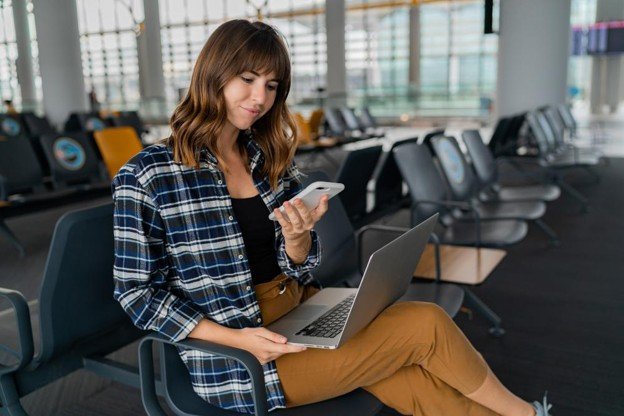 https://www.magnific.com/free-photo/airport-young-female-passenger-with-smart-phone-laptop-sitting-terminal-hall-while-waiting-her-flight_13258824.htm
Working in a shared space
The moment you enter a lounge, finding a comfortable seat is usually the first on your mind. The laptop comes out almost immediately and the phone follows soon after. For a few minutes, the place feels surprisingly private. Then somebody takes the next seat. A family settles across the aisle. Travelers begin walking back and forth towards the counters. That quiet workspace has a lot of activity around it that you usually do not notice.
Screens become visible from more angles than people realize. A confidential email stays open while someone searches for a document. A personal gallery appears when looking for a boarding pass screenshot. Many frequent travelers eventually start using a photo hider app because phones often carry much more than holiday pictures. Keeping hidden photos away from plain view is easier than worrying about how to hide photos every time someone happens to glance at the screen. You can get the list of the best photo hider apps at Moonlock, where they have been reviewed in-depth by the experts.
Think before connecting
Almost everyone connects to the lounge Wi-Fi within a minute or two of sitting down. The password is usually displayed near reception or printed on a small card somewhere around the refreshment area. Emails begin downloading. Cloud folders sync automatically. Messages that couldn’t be sent before landing suddenly start leaving the outbox. Nobody connects expecting problems.
Public Wi-Fi isn’t always unsafe but before you connect to it, give it a little more thought, especially when confidential work is involved. Switching to a personal hotspot or using a VPN whenever work involves private information is the best solution. This should be a core travel security plan rather than a decision that is instinctive.
Never leave devices unattended
Short breaks for a coffee or a drink rarely last more than a minute but they’re often the moments when people become least careful. A document stays open because they’ll be right back. A phone remains connected to a charging cable because carrying it along feels unnecessary. Most of the time, nothing happens but that should not make you complacent.
Ask any frequent traveler and they’ll tell you that they gradually begin treating these moments differently because they’ve seen enough busy lounges to know how quickly people move around. A locked screen takes only a second, yet it prevents far more than it interrupts.
https://www.magnific.com/free-photo/couple-sitting-with-laptop-waiting-area_9598607.htm
Keep work calls private
Conversations travel farther than people expect, especially when everyone else is working quietly. Most frequent travelers don’t stop taking work calls altogether. Some move to a quieter area before taking the call while others keep conversations short and to-the-point until they reach their destination. Headphones help too, not because they stop other people from hearing both sides of a conversation.
After enough trips, many travelers quietly begin doing a few things differently:
- Connect to a personal hotspot whenever confidential work can’t wait.
- Position the laptop where fewer people regularly walk behind it.
- Use travelers security locks on every device before stepping away, even if it’s only for a coffee refill.
- Keep important documents closed until you really need them.
- Use a charging adapter instead of relying on unfamiliar USB ports at random spots.
Together, these simple yet effective habits improve travelers security without changing the way people work.
Distractions lead to mistakes
Airport lounges are full of small interruptions that don’t seem like much until they start adding up. Boarding announcements, gate changes, etc., appear on phones just as someone is replying to an email. Attention shifts quickly and that is usually when people become less careful. Phones get unlocked again and again to check notifications. A confidential spreadsheet stays open while someone looks for a passport. Personal pictures appear while searching for a boarding pass saved in the gallery.
Many frequent travelers now prefer using apps to hide photos or a photo vault app because airports are one of the few places where phones spend more time on tables than in pockets. Public places simply have a way of revealing things people never intended to share. Keeping all the important and other personal files separate helps you lock travel memories away from everything else.
Conclusion
Airport lounges are there to make your travel experience more comfortable. Over time, they quietly became temporary offices where people work. Most privacy habits don’t begin after reading a digital security guide. They begin after one forgotten laptop, one work call that suddenly feels louder than expected or one moment of noticing somebody staring into your open screen. These experiences, when combined with the right knowledge, help form newer habits where privacy and security are taken seriously.


